Show Clients the Look: Put Your Mood Board on the Invoice and Contract
Event and rental clients pay for a picture in their head. Here's why the mood board, floor layout or mockup belongs on the invoice and contract, and how to put it there.
On this page
Every event business knows this conversation.
The client approved the décor weeks ago. Gold and ivory, long tables, flowers down the middle. On the day, they walk into the hall and say, "This isn't what we agreed."
Sometimes they're right. Usually they're not. But you can't prove it, because what you agreed was a picture you sent on WhatsApp in March, and the invoice they paid says "Décor package – ₦850,000."
The picture and the paperwork lived in different places. That gap is where most "this isn't what we agreed" arguments start.
Clients don't buy line items. They buy a picture.
When someone books chairs, tables, lighting and draping for a wedding, they aren't really buying 200 chairs. They're buying the room they've been imagining.
Event and rental businesses already know this. That's why so much of our selling is visual: mood boards, Pinterest screenshots, 3D renders, hand-drawn hall layouts, photos from a past event that the client pointed at and said, "Like this."
Then the deal closes and the documents take over. The quote, the invoice and the contract all describe the job in words and numbers. The picture that actually sold it is somewhere in a chat history.
That's backwards. The picture is often the clearest description of the job you have.
Why the picture belongs on the paperwork
Putting the agreed visual on the documents does three useful things.
It turns "what we agreed" into something on paper. A contract that says "décor as per the attached layout," with the layout printed on it, is much harder to argue with than a contract that says "décor package." When the client signs, they're signing against the picture too.
It gets the whole team working from the same image. Your crew doesn't read the chat with the client. They read the job sheet, the delivery note and whatever you print. If the floor layout is on the delivery receipt, the people setting up the room are looking at the same plan the client approved.
It reassures the client before the event. An invoice for a large amount is easier to pay when it shows exactly what that amount buys. Some clients forward invoices to a parent, a finance team or a co-host who never saw the WhatsApp thread. The picture explains the number without you having to.
What to put on your documents
It depends on what you do, but most of it is something you already have:
- Mood boards for weddings, birthdays and themed events: colours, textures, centrepieces, the overall feel.
- Floor or hall layouts: where tables, the stage, the dance floor and the buffet go, with guest numbers.
- Tent and marquee site plans: where the structure sits, entrances, generator and power runs.
- Stage, sound and lighting plans: a simple diagram of the rig, so the venue and the client know what's coming.
- Branding mockups for corporate events: backdrops, banners and stands with the client's logo where it will actually appear.
- Reference photos: a past setup the client chose, or a photo of the exact item they're hiring.
Keep it to the images that would settle an argument. Four strong visuals do more than twenty screenshots.
How to make it work in practice
A few habits make the difference.
Agree the visual before you send the contract. The contract is the document people point to later. Treat the visual like the price: confirmed first, then written down.
Caption it like a spec, not a compliment. "Hall layout for 120 guests, 12 round tables" is useful. "Beautiful setup!" isn't. The caption is what someone reads at 6am on the day.
Choose which documents need which image. The client needs the mood board on the invoice and contract. Your crew needs the layout on the delivery receipt. Not every picture belongs on every document.
Use landscape images where you can. They fill an A4 page better and print more clearly than a phone screenshot turned sideways.
How we built this into Bundus
Customers asked us for this directly. They were already sending mood boards and layouts to clients and wanted them to be part of the booking, not a separate attachment.
So every booking in Bundus now has a Visuals tab. You can add up to four images, each with a caption, and choose where each one appears: invoices, contracts, payment receipts or delivery receipts. It works the same in the web app and the mobile app, where you can also take a photo on the spot.
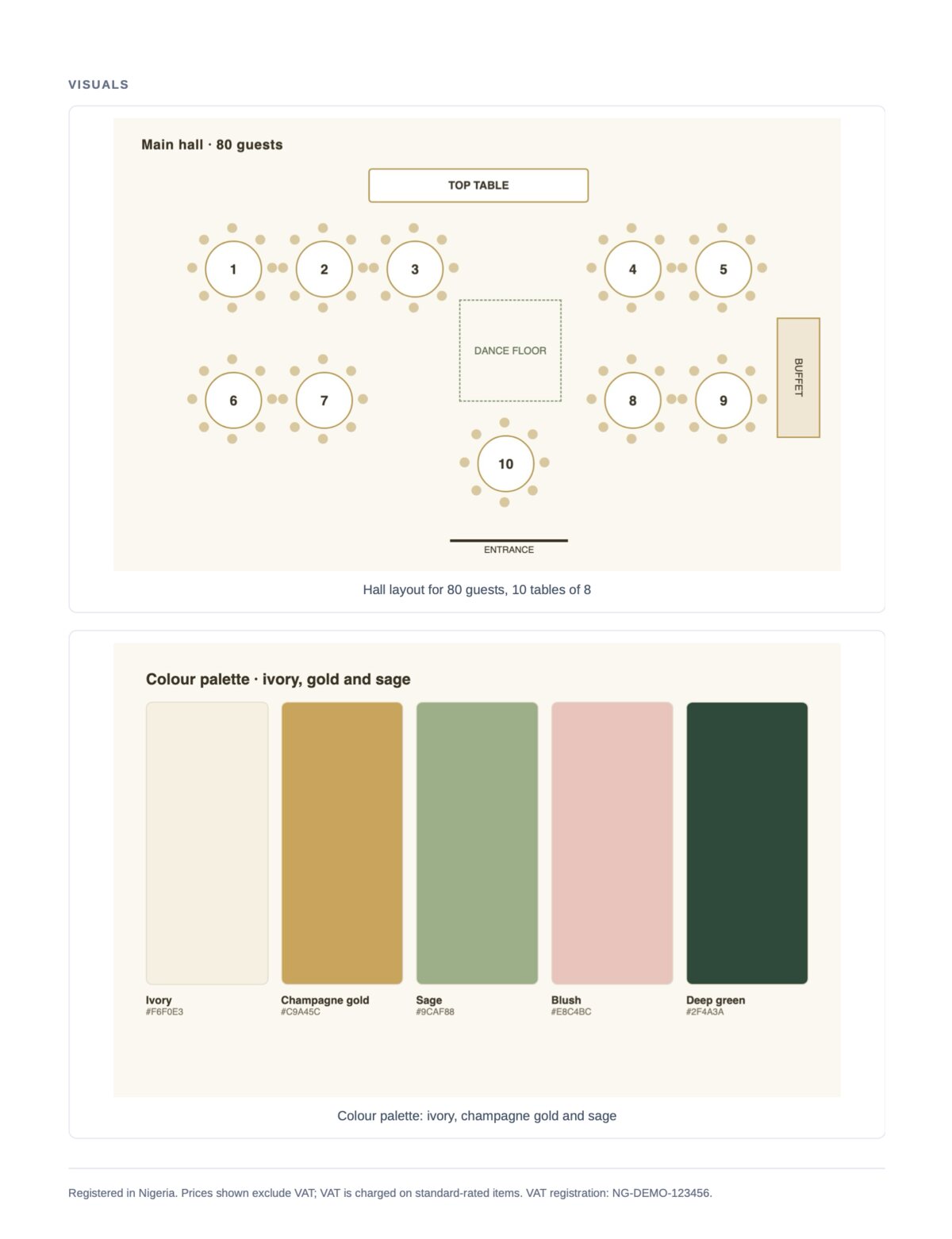
A few decisions we made deliberately:
- Invoices show the booking's latest visuals. If the layout changes after you invoice, the invoice the client opens shows the updated version. The picture is there to describe the job, so it should match the current plan.
- A contract keeps the visuals it was sent with. Once a contract goes out, its visuals don't change, even if you edit the booking. What the client signed is what they signed, picture included.
- Images stay whole. A layout split across two pages is useless, so each visual moves to the next page rather than being cut in half.
- Quotes stay simple. Visuals start once a booking exists, on the documents that commit both sides.
If you're on Bundus, open any booking and select Visuals. Our help guide on booking visuals walks through each step.
Common questions
Can I add a picture to an invoice?
Yes. In Bundus, add the image to the booking's Visuals tab and leave Invoices selected. It prints near the end of the invoice, after the totals and payment details, and also shows on the online invoice your client opens from the link.
Can I attach a floor plan or mood board to a rental contract?
Yes. Choose Contracts for the visual before you send the contract. The client sees it on the signing page and in the PDF, and the sent contract keeps that version.
What if the plan changes after the contract is sent?
The sent contract keeps the original visual, which is the point: it's a record of what was agreed. Your invoices and receipts will show the updated image. If the change matters, agree it with the client and issue a new contract.
How many images can I add?
Up to four per booking. That's enough for a mood board, a layout and a couple of references, without turning an invoice into a photo album.
The short version
Your client booked a look, not a list.
Put the look on the paperwork, and the conversation on the day becomes much easier: "Here's what we agreed. Here it is."
If you run an event, rental or décor business and want to try it, start with Bundus and add your first visual to a booking today.
Related reading
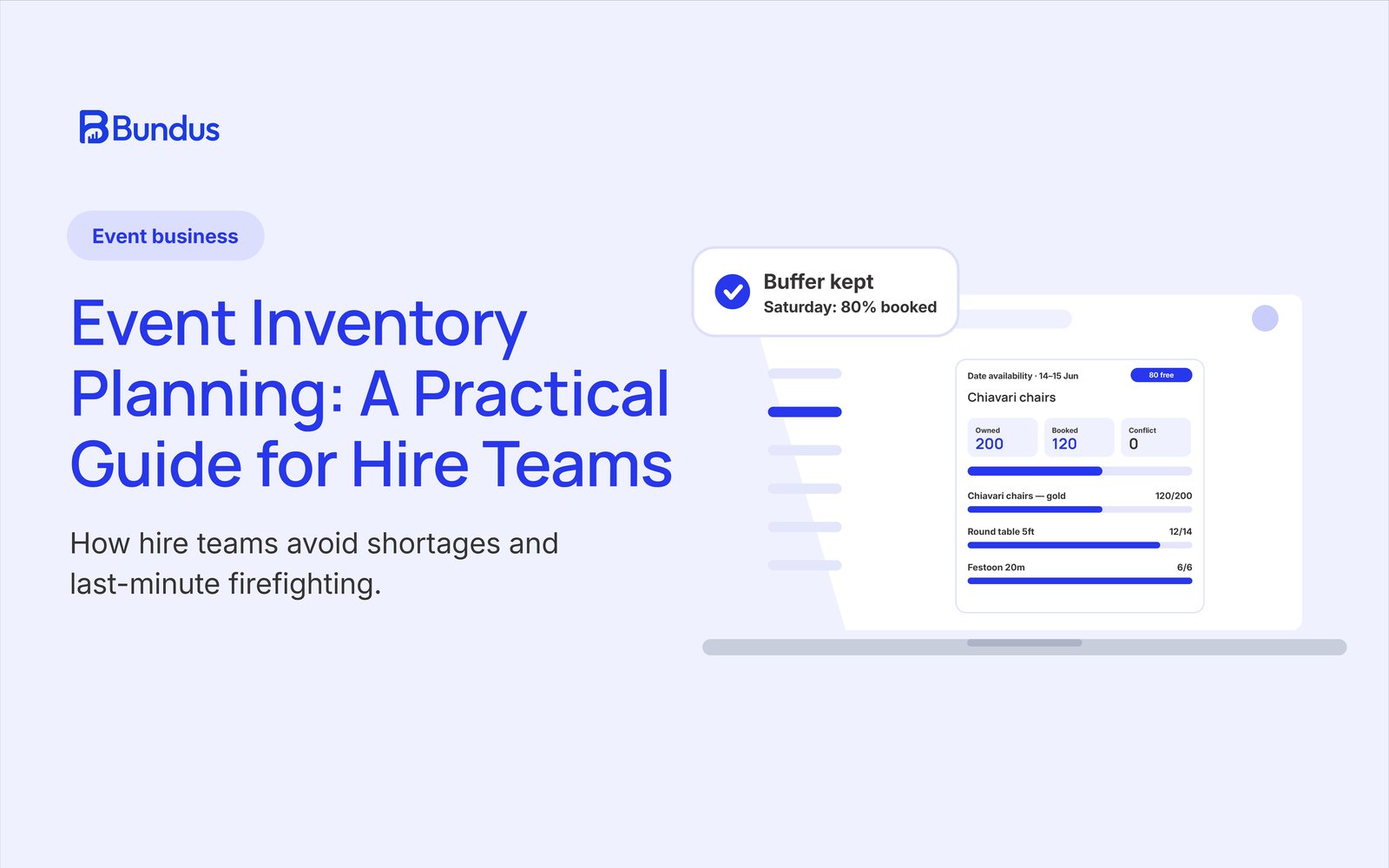
Event Inventory Planning: A Practical Guide for Hire Teams
Effective inventory planning is the difference between smooth event execution and last-minute firefighting. Learn how event hire businesses can plan stock, manage capacity, and avoid shortages.
Read article
Introducing Contracts: Rental Agreements Built From Your Bookings
Bundus Contracts helps event, rental, and hire businesses generate professional rental agreements from live bookings, collect signatures, and maintain a complete audit trail without repetitive paperwork.
Read article
Rental Business Invoicing: How to Get Paid Faster Without Chasing
Late payments create unnecessary pressure for rental businesses. Learn practical invoicing strategies that improve cash flow, reduce follow-ups, and help you get paid on time.
Read articlePractical guides for hire and event businesses
Get operational tips on bookings, inventory, and growing your rental business. No spam, unsubscribe anytime.